> For the complete documentation index, see [llms.txt](https://docs.vortexfinance.co/llms.txt). Markdown versions of documentation pages are available by appending `.md` to page URLs; this page is available as [Markdown](https://docs.vortexfinance.co/buyandsellcrypto/sell-crypto/personal.md).
# Personal
Ready to ramp? **Click** [**here**](https://app.vortexfinance.co/) **to Sell USDC/USDT on Vortex Finance**\
If you prefer guidance or need rail-specific steps, use the **country guides** below.
Brazil
## How it works ?
1. Claim your rate on [app.vortexfinance.co/](https://app.vortexfinance.co/)
2. Enter your KYC details \[Fast track]
3. Confirm your transaction on [app.vortexfinance.co/](https://app.vortexfinance.co/)
### 1. Claim your rate on app.vortexfinance.co
1. Connect your EVM wallet (e.g., **MetaMask, Rabby, or Safe**).
2. Enter the amount you wish to transfer.
3. Enter your CPF and PIX key and Confirm
4. If you have already KYC (Know Your Customer) you would directly go to confirmation page if not you will go to the
### 2. Enter your KYC details \[Fast track]
1. Enter your full name, phone number, CEP, Address and Birthdate
2. Approval is done in minutes, this is fast track KYC aka KYC level 1
### 3. Confirm Your transaction on app.vortexfinance.co
1. After approval of KYC, you would see a confirmation pop-up
2. This provides a summary of the quote that was confirmed, details of our Partner
3. On clicking confirm, you would need to sign 2 transactions in your wallet
4. Confirm the transfer amount (e.g., **USDC/T**) in Wallet (first signing request)
5. Confirm the **network gas fee** in Wallet. (second signing request)
6. IMPORTANT: **Leave the Transaction Progress Screen open** until the transaction completes.
Europe
## How it works ?
1. Claim your rate on [app.vortexfinance.co/](https://app.vortexfinance.co/)
2. Enter Details on Banking Partner Page
3. Confirm your transaction on [app.vortexfinance.co/](https://app.vortexfinance.co/)
### 1. Claim your rate on app.vortexfinance.co
1. Connect your EVM wallet (e.g., **MetaMask, Rabby, or Safe**).
2. Enter the amount you wish to transfer and confirm.
3. Wait for the rate to be validated, then click **“Continue to Partner.”**
4. You’ll be redirected to the Partner Page (MyKobo) to proceed with the transaction.
### 2. Enter Details on Banking Partner Page
1. Enter your first name, last name, email address and IBAN
2. If you use us for the first time, complete identity verification by submitting a government-issued ID and proof of address. Approval typically takes minutes, ensuring compliance with global financial regulations.
3. Verify the pre-filled transaction details, including the amount and fee. And click “Submit” to finalize your input.
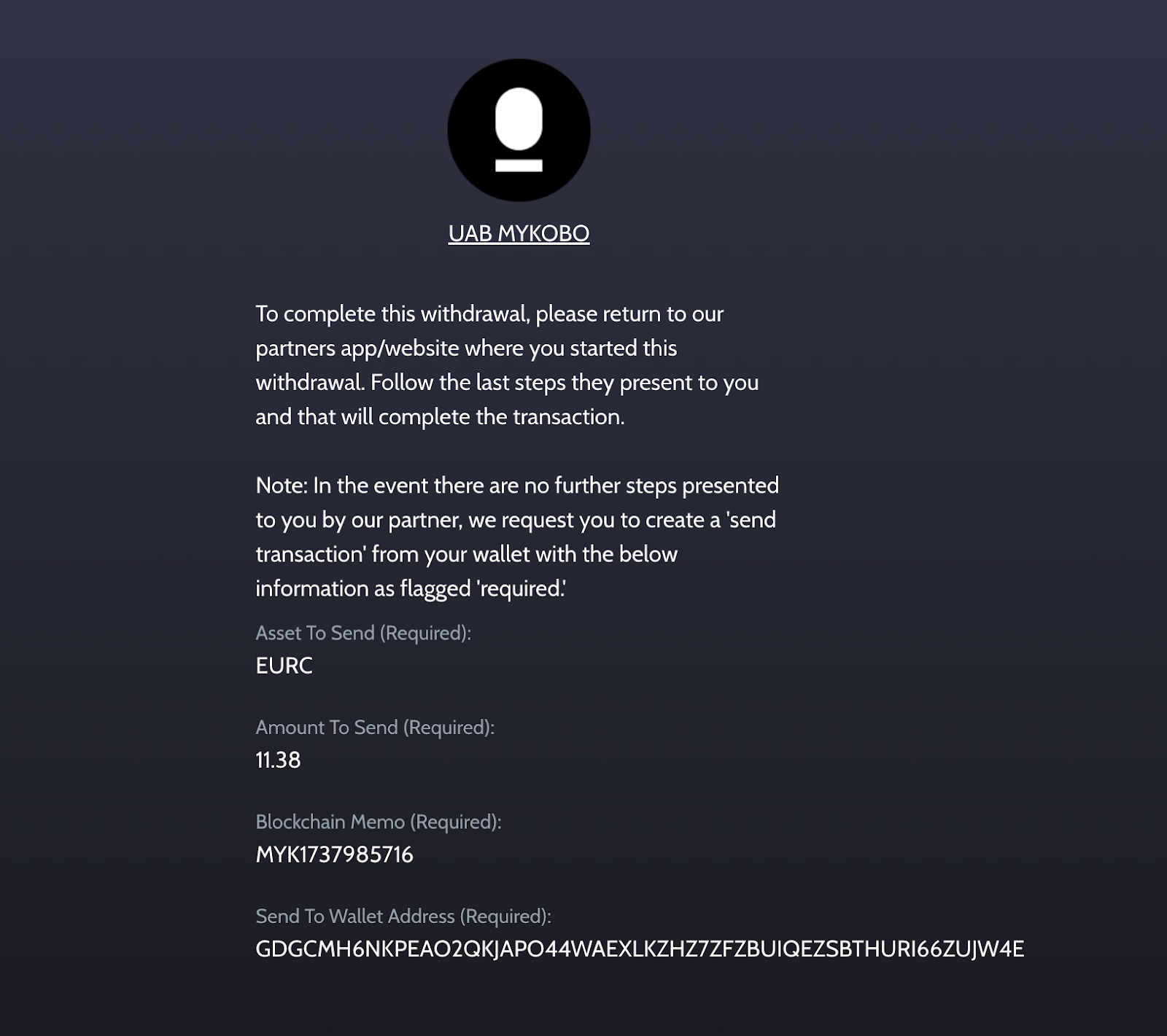
4. Once you see the following page Page, return to the Vortex finance Tab to confirm the Transaction
Confirmation page
### 3. Confirm Your transaction on app.vortexfinance.co
1. Revisit the Vortex Finance page and check your connected wallet.
{% hint style="info" %}
Tip: Ensure you are using the same wallet connected during step 2.
{% endhint %}
2. Confirm the transfer amount (e.g., **USDC/T**) in Wallet (first signing request)
3. Confirm the **network gas fee** in Wallet. (second signing request)
4. IMPORTANT: **Leave the Transaction Progress Screen open** until the transaction completes.
Once the transaction is finalized, your funds will be on their way. Depending on your bank, this may take 1 minute to 2 banking days.
Argentina
## How it works ?
1. Claim your rate on [app.vortexfinance.co/](https://app.vortexfinance.co/)
2. Enter your KYC details
3. Confirm your transaction on [app.vortexfinance.co/](https://app.vortexfinance.co/)
### 1. Claim your rate on app.vortexfinance.co
1. Connect your EVM wallet (e.g., **MetaMask, Rabby, or Safe**).
2. Enter the amount you wish to transfer.
{% hint style="info" %}
If you have already KYC (Know Your Customer) you would directly go to confirmation page if not you will go to the next section
{% endhint %}
### 2. Enter your KYC details
1. Sign in on the Anclap \[Partner] platform and fill in the personal details
2. Approval is done in minutes
### 3. Confirm Your transaction on app.vortexfinance.co
1. After approval of KYC, you would see a confirmation pop-up
2. This provides a summary of the quote that was confirmed, details of our Partner
3. On clicking confirm, you would need to sign 2 transactions in your wallet
4. Confirm the transfer amount (e.g., **USDC/T**) in Wallet (first signing request)
5. Confirm the **network gas fee** in Wallet. (second signing request)
USA
## Sell Crypto — Personal — USA
### How it works?
1. Claim your rate on [app.vortexfinance.co](https://app.vortexfinance.co/)
2. Complete KYC verification with our compliant partner
3. Confirm your transaction on [app.vortexfinance.co](https://app.vortexfinance.co/)
#### 1. Claim your rate on app.vortexfinance.co
1. Connect your EVM wallet (e.g., **MetaMask, Rabby, or Safe**)
2. Enter the amount you wish to sell and select the token (USDC, USDT, or other supported tokens)
3. Enter your bank account details (routing number and account number) for ACH payout
4. If you have already completed KYC, you will proceed directly to the confirmation page
#### 2. Complete KYC verification
1. You will be redirected to our compliant partner's verification window
2. Complete verification in 5 steps:
* User Information
* Contact Information
* User Address
* ID Verification
* Operational Questions
3. Keep your government-issued ID handy before you begin
4. Once complete, click **"I have finished the KYC verification"** to return to Vortex Finance
5. Wait while your KYC status is confirmed — do not close this window
#### 3. Confirm your transaction on app.vortexfinance.co
1. After KYC approval, you will see a confirmation pop-up
2. This provides a summary of the confirmed quote and details of our partner
3. On clicking confirm, you will need to sign 2 transactions in your wallet
4. Confirm the transfer amount (e.g., **USDC/USDT**) in your wallet (first signing request)
5. Confirm the **network gas fee** in your wallet (second signing request)
---
# Agent Instructions
This documentation is published with GitBook. GitBook is the documentation platform designed so that both humans and AI agents can read, navigate, and reason over technical content effectively. Learn more at gitbook.com.
## Querying This Documentation
If you need additional information that is not directly available in this page, you can query the documentation by asking a question.
Perform an HTTP GET request on the following URL with the `ask` and `goal` query parameters:
```
GET https://docs.vortexfinance.co/buyandsellcrypto/sell-crypto/personal.md?ask=&goal=
```
`ask` is the immediate question: it should be specific, self-contained, and written in natural language.
`goal` is what the user is ultimately trying to achieve, the reason they need the answer. Sharing it helps GitBook give you a better, more relevant answer. A goal is most helpful when it describes the outcome the user wants rather than restating the question. For example, with `ask=how do I create an API token`, a goal like `automate deployments from our CI pipeline` lets GitBook tailor the answer to that use case.
The response will contain a direct answer to the question and relevant excerpts and sources from the documentation.
Use this mechanism when the answer is not explicitly present in the current page, you need clarification or additional context, or you want to retrieve related documentation sections.